The Moment of Doubt
The customer is at the final step. They've entered their M-Pesa number. The STK push is about to be sent. But just before they enter their PIN, a flicker of doubt: "Wait, how much am I paying exactly? What's included? Any hidden fees?" If they can't immediately see a clear, itemised order summary, they may cancel the prompt and abandon the purchase.
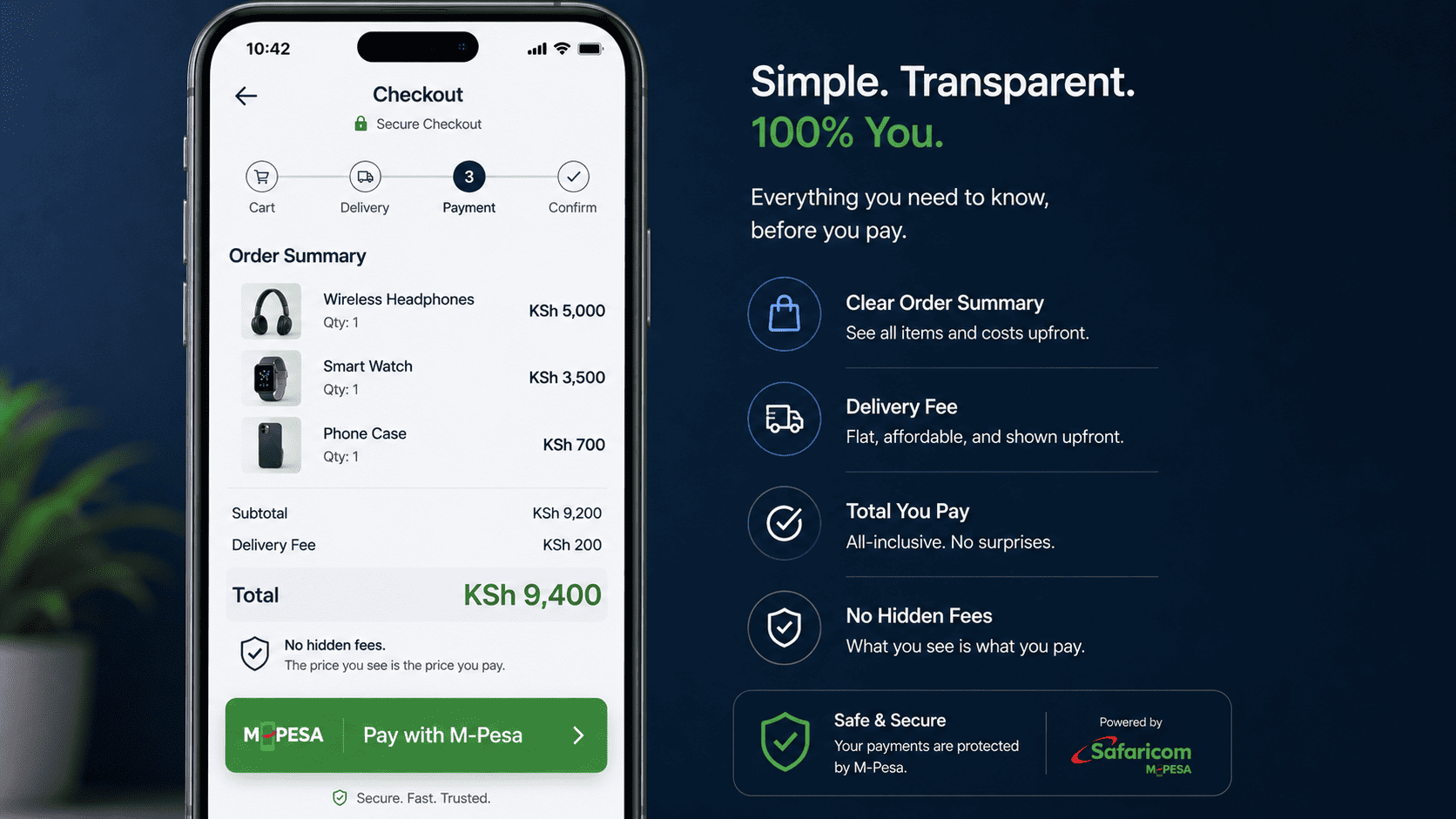
This is the 5-Second Order Summary Rule: every checkout must present a crystal-clear summary of the total cost, including product price, delivery fee, and any discounts, before the STK prompt is triggered. The summary should be visible in the same screen where the customer enters their M-Pesa number.
How to Design a Confidence-Boosting Order Summary
1. Show Line Items Clearly
Display each item with quantity and price: "1 x Leather Bag – KSh 3,500." If there are multiple items, list them all.
2. Break Down the Total
If you have delivery fees, show them separately: "Subtotal: KSh 3,500. Delivery: KSh 200. Total: KSh 3,700." If delivery is free or included, say so clearly: "Delivery: FREE (Included)." This eliminates any surprise.
3. Show Any Discounts or Promotions
If a coupon code was applied, show the discount: "Discount (ASANTE10): -KSh 350." The customer should see that they got a deal.
4. Use Large, Bold Font for the Total
The final amount should be the most prominent number on the screen. No squinting. No ambiguity.
5. Add a Reassuring Note
Directly below the total, add a small line: "This is the exact amount that will be charged to your M-Pesa. No hidden fees." This single sentence can significantly reduce hesitation.
The Checkout Flow
Place the order summary above the "Pay Now" button and the M-Pesa number input field. The customer sees the total, enters their number, clicks "Pay," and receives the STK prompt for exactly that amount. The mental confirmation is complete.
Don't let doubt creep in at the last second. Show the total clearly, reassure them, and let the payment flow smoothly.
Interested in E-Commerce Website with M-Pesa?
Let's build this for your business
Sell to any Kenyan with a phone. Full online shop with Safaricom STK Push payment — no card needed.