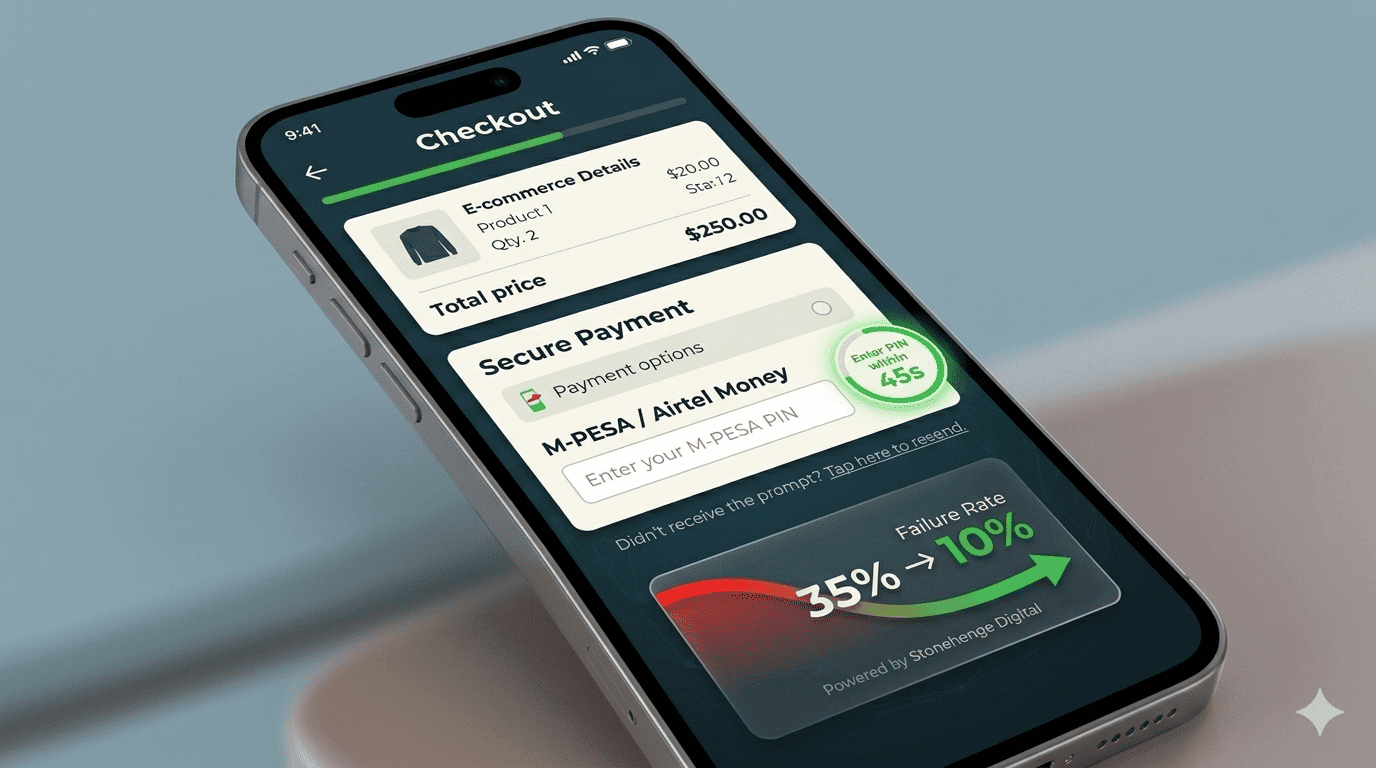
The Tiny Tweak That Unblocked Revenue
An online electronics store in Nairobi was losing approximately 35% of its checkouts to M-Pesa STK Push timeouts. Customers would click "Pay," the STK prompt would arrive, but by the time they entered their PIN, the transaction had expired, or the prompt never appeared at all.
We implemented a single, 4-second timing adjustment and a micro-UX element that reduced failed payments by over 70% within the first week. The client recovered an estimated KSh 120,000 in previously lost monthly revenue. Here's exactly what we did.
The Problem: Aggressive Timeouts and "PIN Anxiety"
The Safaricom STK Push API has a default validity window of 20 seconds. If the user doesn't input their PIN within that window, the request expires. Many users, especially on slower phones or with poor network, couldn't get to the prompt fast enough. Even when they did, a moment of hesitation—"Wait, is this the right amount? Let me check my balance first"—pushed them past the deadline.
Compounding this, the store's checkout page showed a generic "Processing..." spinner with no countdown or guidance. Users felt abandoned and often refreshed the page, breaking the transaction flow entirely.
The Fix: The "4-Second Buffer + Countdown Badge"
1. Extend the STK Request Timeout (Server-Side)
We reconfigured the STK API call to request a 60-second timeout window (the maximum allowed by Safaricom) instead of the default 20 seconds. This alone gave users 3× more time. This is a simple parameter change in the API request.
2. Add a "Prompt Sent" Countdown Badge (Client-Side)
Instead of a vague spinner, we added a small, animated badge right below the M-Pesa number field. It said: "M-Pesa prompt sent. Enter PIN within 45 seconds." with a subtle countdown timer. This created urgency without panic and told the user exactly what to do next.
3. The "No Prompt Yet?" Safety Net
After 10 seconds, if no callback was received, a small link appeared: "Didn't receive the prompt? Tap here to resend." This gave users agency and prevented them from refreshing the whole page.
The Results
In the first week after deployment:
- STK failure rate dropped from 35% to under 10%.
- Cart-to-completion conversion improved by 22%.
- Customer complaints about "payment not going through" decreased by 60%.
A 4-second adjustment in code, combined with clear user communication, unlocked a significant revenue stream that was already sitting in the cart.
Interested in E-Commerce Website with M-Pesa?
Let's build this for your business
Sell to any Kenyan with a phone. Full online shop with Safaricom STK Push payment — no card needed.