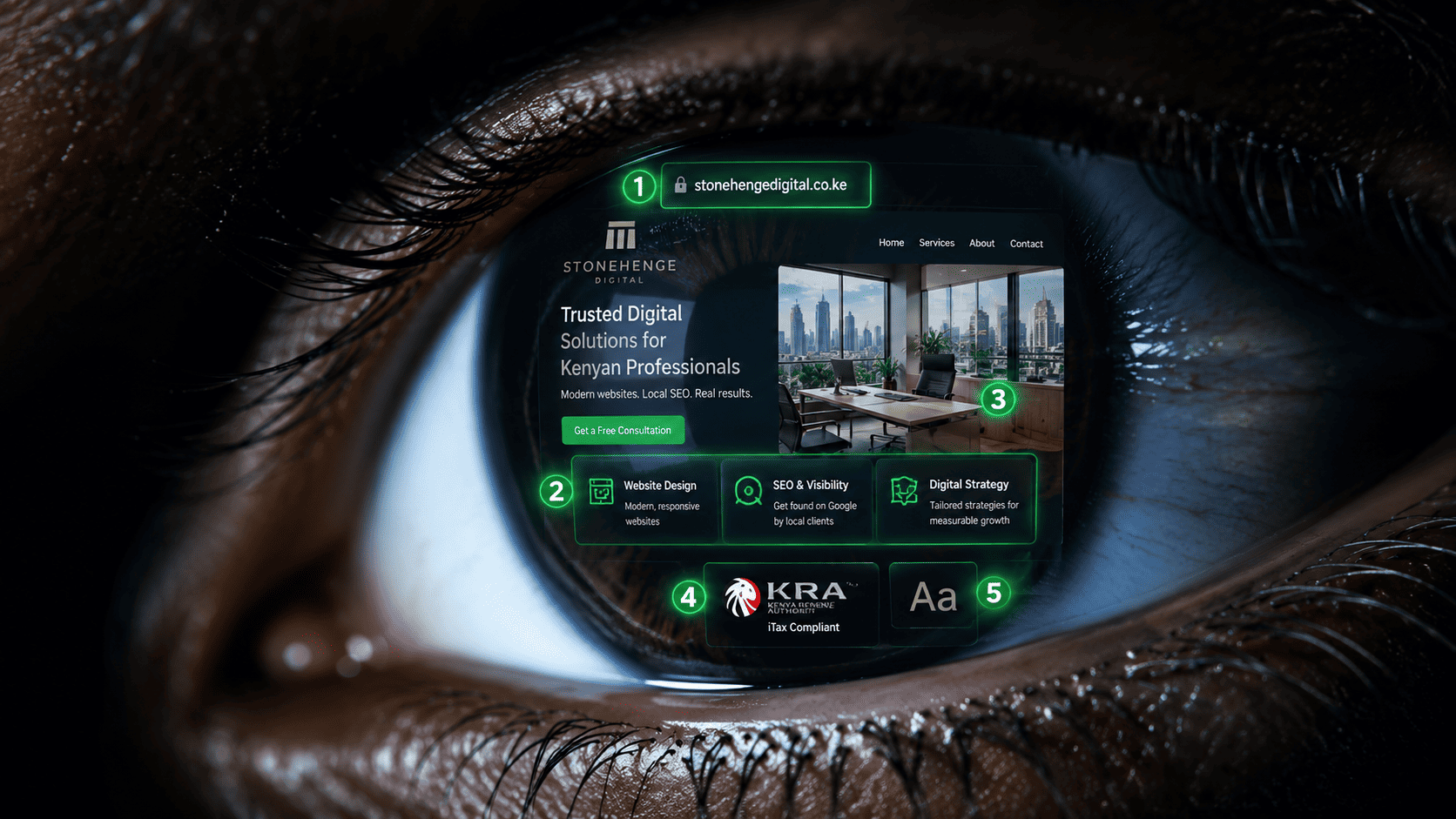
The Blink-of-an-Eye Judgement
You think procurement officers carefully read your website. They don't. In the first 0.05 seconds—literally faster than a conscious thought—their brain makes a snap judgement: "Trustworthy" or "Scam." This is not speculation. It's cognitive psychology, and it happens before the page has even fully loaded.
In those milliseconds, their eyes dart to specific visual anchors. If those anchors scream "amateur" or "fake," the battle is lost before your carefully crafted service descriptions ever get read. Here is exactly what they're looking at, in order, and how to make sure you pass the test.
The 5 Visual Anchors of Instant Trust
Anchor 1: The Domain & URL Bar
Before the page renders, the URL bar is visible. A .co.ke or .com domain? Pass. A .wixsite.com or .wordpress.com subdomain? Fail. The brain associates custom domains with established entities. It's that simple.
Anchor 2: The Layout Structure
A clean, grid-based layout with clear sections signals professionalism. A cluttered, text-heavy, or visually chaotic layout triggers a "spam" association. The brain processes symmetry and order as safety cues.
Anchor 3: The Hero Image
A real photo of a Kenyan office, a Kenyan team, or a recognisable Nairobi landmark? Pass. An obvious stock photo of a generic smiling model or a flagrantly non-Kenyan scene? Fail. The brain searches for authenticity markers tied to location.
Anchor 4: The Trust Badges
In the periphery, the eyes catch logos or badge shapes: KRA PIN, professional body logos, Safaricom M-Pesa badge, "Verified" shields. Even if not consciously read, their presence subconsciously elevates trust.
Anchor 5: The Font & Readability
Clean, modern fonts with good spacing signal competence. Tiny, cramped, or inconsistent fonts signal low-quality. The brain makes a "fluency" judgement: if it's easy to visually process, it's likely trustworthy.
How to Design for the 0.05-Second Test
- Use a custom domain. Non-negotiable.
- Invest in one high-quality, authentic hero photo. It's the single most important image on your site.
- Place trust badges in the top third of the page. Above the fold, where they catch peripheral vision.
- Keep the layout clean and uncluttered. White space is a trust signal.
- Use no more than two fonts. Consistency = professionalism.
You have 0.05 seconds. Don't waste them on a blurry stock photo and a cluttered layout. Design for the blink-of-an-eye judgement, and your carefully crafted content will actually get read.
Interested in Portfolio & Organisational Website?
Let's build this for your business
A professional, mobile-first website that makes your business look credible and gets found on Google.