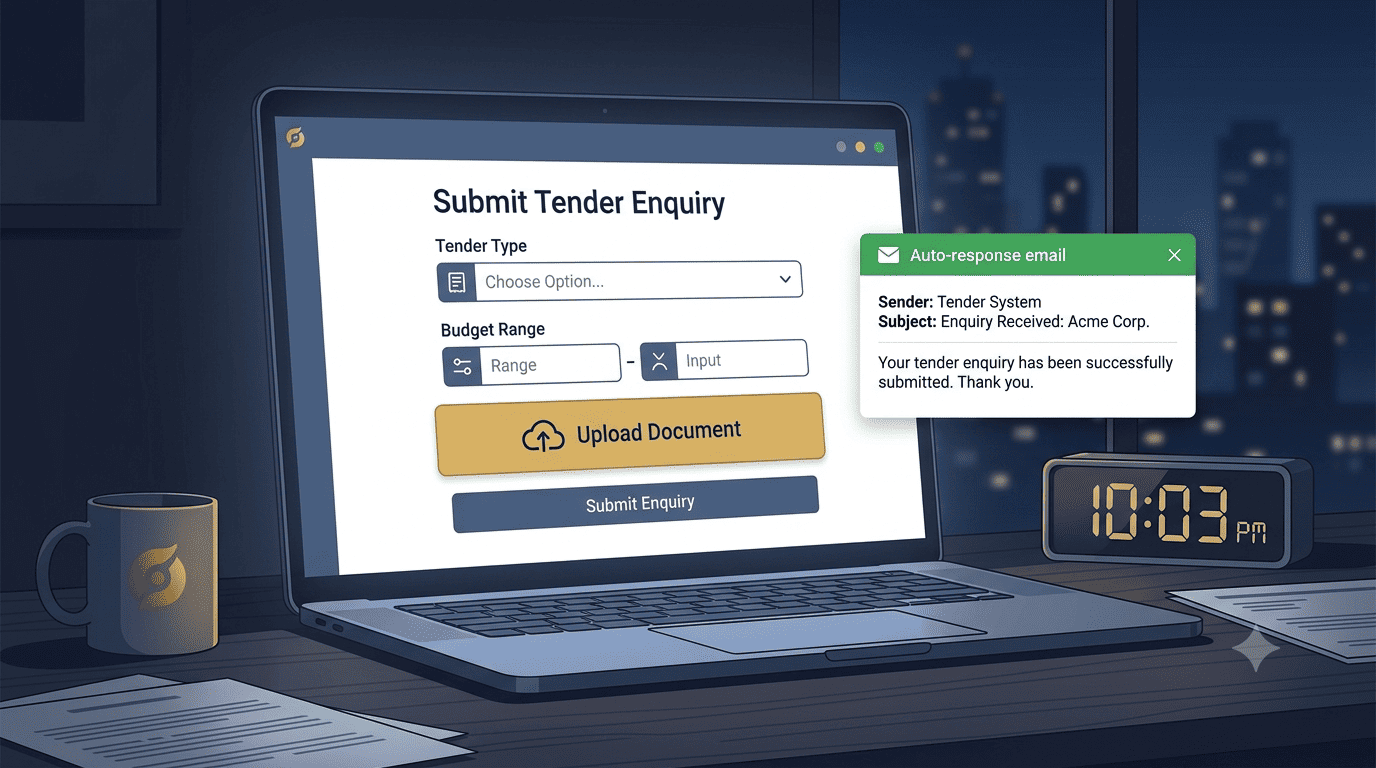
The Tender That Arrived After Hours
A procurement officer at a county government was working late, finalising a tender list. At 10 PM, she found a potential supplier's website. The site had a smart contact form that allowed her to upload the tender document, input key details, and submit an enquiry without sending an email or making a phone call.
The next morning, the supplier woke up to a qualified tender opportunity in their inbox, along with the attached document. This supplier won that tender, and it all started with a website form that worked 24/7.
The Missed Opportunity
- Only asks for Name, Email, Message
- Officer has to attach documents separately
- No context on the type of tender
- Sits in an inbox until morning
- Supplier looks unprofessional
The Won Bid
- Dedicated file upload field
- Pre-qualification questions capture context
- Instant auto-response confirms receipt
- Internal alerts route to the right person
- Supplier looks organised and ready
The 24/7 tender capture form
Your contact form is not just a way to get messages. It is a silent, always-on bid submission portal. Here is how to set it up.
Add a "Tender / RFQ Upload" field
Most contact forms only have name, email, and message. Add a dedicated file upload field. This signals that you are ready for formal procurement processes, even outside business hours.
The field "Attach Tender Document or Brief (PDF, DOC, up to 10MB)."Pre-qualification questions
Include dropdowns that mirror a tender evaluation. This captures the context you need to respond without a long back-and-forth.
The questions "Procurement Type: Open Tender / Restricted / Request for Quote" and "Approximate Budget Range."Instant auto-response with next steps
As soon as the form is submitted, the officer receives an automated email. This immediate acknowledgment is crucial for building confidence that the submission was received.
The email "Thank you for your enquiry. We have received your document. Our tenders team will review and respond within 4 business hours. In the meantime, you can download our pre-qualification pack here: [link]."Internal alert to the right person
The form submission is instantly routed to the email (and WhatsApp) of the person responsible for tenders. No waiting until morning for someone to check the inbox.
The speed Speed wins. If the officer is working late, you want your team to see it first thing, or even respond that night.The "Never Miss a Deadline" dashboard
Turn your website into a tender management system.
Beyond the form, the Stonehenge Digital dashboard logs every tender enquiry with a timestamp, the officer's details, and a "Response Deadline" field.
The trust factor
Do not let a generic "Name, Email, Message" form cost you tenders. A procurement officer working late needs a portal that accepts their documents and confirms receipt immediately.
Build a 24/7 bid submission portal and wake up to qualified opportunities.
Ready to capture tenders 24/7?
Stonehenge Digital builds organisational websites with dedicated tender upload portals, automated routing, and dashboard reminders, designed to win government and corporate contracts.
Upgrade My Contact Form →Interested in Portfolio & Organisational Website?
Let's build this for your business
A professional, mobile-first website that makes your business look credible and gets found on Google.