The Weekend Prison
You close your shop every month end for two days to count stock. You, your manager and two casual labourers manually count every item. You scribble on paper. You lose count. You start over.
By Sunday evening you are exhausted and the numbers are still wrong. This tutorial shows you how to use a barcode scanner and your dashboard to complete the same stock take in four hours, with far greater accuracy.
Two weekends, same stock
The stock is identical. What changes is how much of your weekend the count takes, and how much you trust the result afterwards.
Counting by pen and paper
- Two days of lost sales every month
- Casual labour costs on top of that
- Lost counts, restarts and long evenings
- Totals calculated by hand, late at night
- Variances found in a spreadsheet hours later
Scanning into the dashboard
- The shop can still open the next morning
- Fewer people needed for the same count
- Each scan is recorded instantly
- Valuation and variance produced automatically
- Discrepancies flagged on the shelf, not later
What you need
-
Bluetooth barcode scanner Available on Jumia or from local suppliers. Brands such as Honeywell work well, and generic models are usually fine.KSh 8,000 to 15,000
-
Smartphone or tablet To run your dashboard app while you walk the shelves.Already owned
-
Barcode labels Only needed if your products do not already carry manufacturer barcodes.KSh 10,000 to 20,000
Barcode everything, one time setup
Every product needs a barcode before the first stock take. There are two cases and each has a simple answer.
- If the product has a manufacturer barcode, use it. Scan it once and link it to the product in your dashboard.
- If it does not, generate a unique barcode and print a label. Stick it on the product or on its shelf.
Label the shelf, not the individual item, for loose goods. When you scan the shelf label the system asks how many units, and you type the number. It is faster, and it survives when the packaging changes.
Prepare the dashboard for stock take
- Open your dashboard.
- Go to inventory and choose stock take.
- Click start new stock take.
- The system generates a blank count sheet and prepares to receive scanned data.
The stock take session
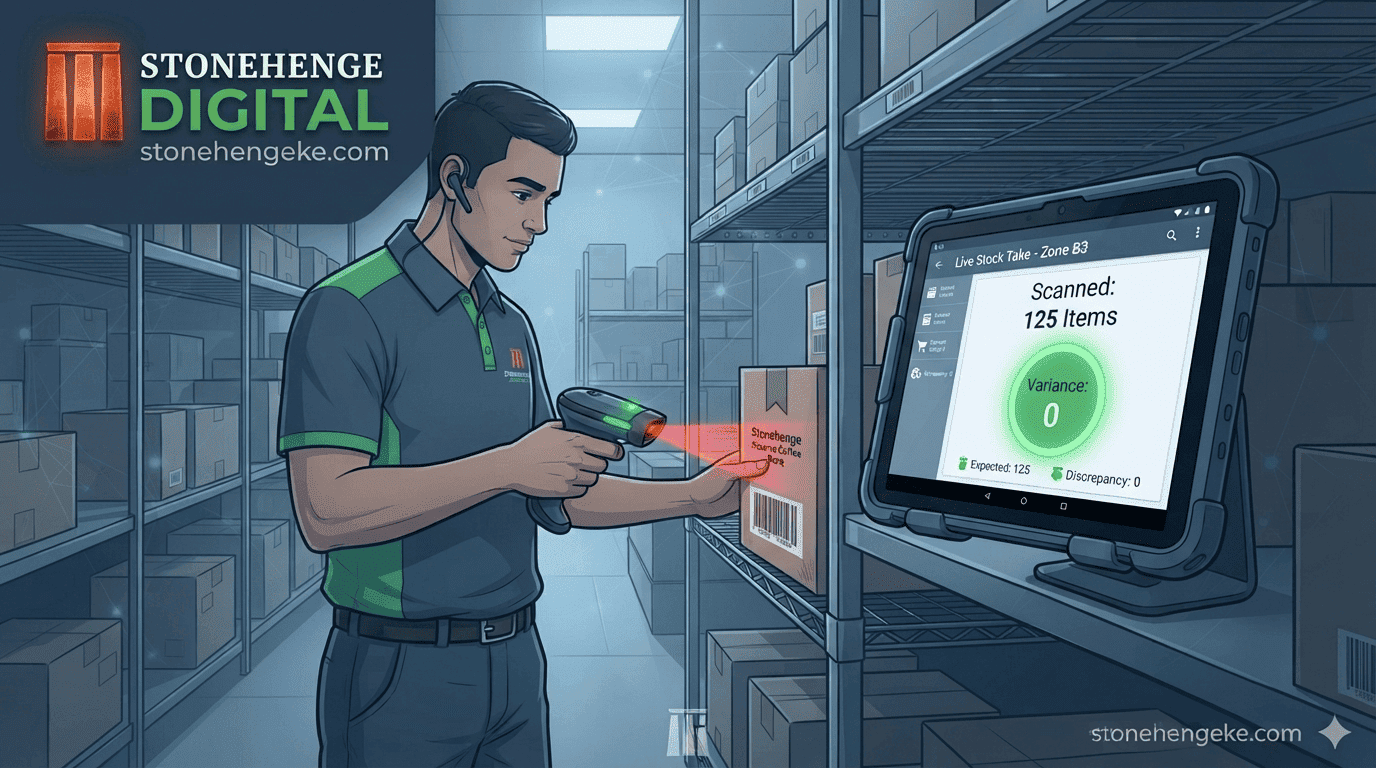
Walk through your shelves with the scanner and your phone or tablet.
- Scan a product barcode. The scanner beeps.
- The dashboard displays the product name and asks for the quantity counted.
- Type the physical count, or scan each unit if the units are individually barcoded.
- The dashboard records the count and moves to the next item.
The dashboard compares the counted quantity to the expected stock as you go, so you can recount that shelf on the spot instead of discovering the error hours later in a spreadsheet.
The instant stock take report
When the last item is scanned, the dashboard generates the report without any manual adding up.
What lands in your hands
The discrepancy list names each item with the expected and actual figure side by side. This report becomes your new inventory baseline until the next cycle, and it is also the document you will compare against next month.
Investigate variances
For each discrepancy, work through the likely causes in order. The variance report gives you the data to ask the right questions, rather than guessing.
- Theft If a pattern emerges, such as one product consistently short, investigate. A single shortfall is noise, and the same shortfall every month is a signal.
- Recording error Check whether a delivery or a sale was entered incorrectly, or entered twice. Recording errors are far more common than theft, and far easier to fix.
- Damage or spoilage Check whether unsold damaged items were discarded without recording the loss. Unrecorded disposal is one of the most common hidden variances.
The return on the hardware
What changed in the first month
- Saved two days of closure, recovering around KSh 30,000 in lost sales
- Saved KSh 2,000 in casual labourer costs
- Reduced inventory errors that had led to ordering the wrong stock
- The scanner and label printer paid for themselves in the first month
Most of the return comes from the sales you no longer lose, not from the labour you save. That is why the closure cost is the number worth calculating first.
A quick check before your first scan
- Every product on the shelves has a barcode or a shelf label
- Labels are linked to the correct product in the dashboard
- The scanner is paired and charging before you start
- The stock take session is open and only one person has it
- The phone or tablet is fully charged for the walk
- Someone is assigned to recount variances on the spot
- The final report is saved and dated
- Each variance has a cause noted beside it
The short version
Stop counting with pen and paper. Scan. Beep. Done.
The hardware pays for itself in weeks, the count happens in an afternoon, and the variance report is waiting for you before you leave the shop.
Ready to speed up your stock take?
Stonehenge Digital builds business management dashboards with barcode scanning, live variance alerts, instant stock take reports and automatic inventory valuation.
Speed Up My Stock Take →Interested in Business Management System?
Let's build this for your business
Replace spreadsheets, paper records, and WhatsApp chaos with a custom system built for exactly how your business works.