E-Commerce | Mobile Money
Stop Turning Away Customers
If your online checkout only accepts M-Pesa, you could be making it harder for customers using other mobile money services to complete their purchases. Airtel Money provides another payment option, while T-Kash may be relevant to businesses whose customers use Telkom's mobile money service.
The solution is to build a checkout experience that supports multiple payment networks while keeping the customer journey simple. Customers should be able to select a supported service, initiate payment, receive instructions on their phones, and see a clear confirmation when payment succeeds.
The opportunity
One checkout. Multiple payment options. A simpler way for more customers to pay.
Step 1: Understand the Different Payment APIs
Each mobile money provider has its own integration requirements, authentication methods, transaction processes, and callback formats. Before writing code, confirm which merchant and collection APIs are available to your business.
Network 01
Safaricom M-Pesa
Use the Daraja API and an appropriate supported payment flow, such as STK Push.
Integration: Safaricom Daraja
Network 02
Airtel Money
Explore Airtel Money's merchant collection API and the payment methods enabled for your account.
Integration: Airtel Money Business API
Network 03
Telkom T-Kash
Confirm current merchant collection capabilities, API access, and technical documentation directly with Telkom.
Integration: Subject to provider access
The design principle: The payment methods may differ behind the scenes, but your website should provide a consistent checkout, clear instructions, trustworthy payment status, and helpful error messages.
Step 02
Detect the Network Carefully
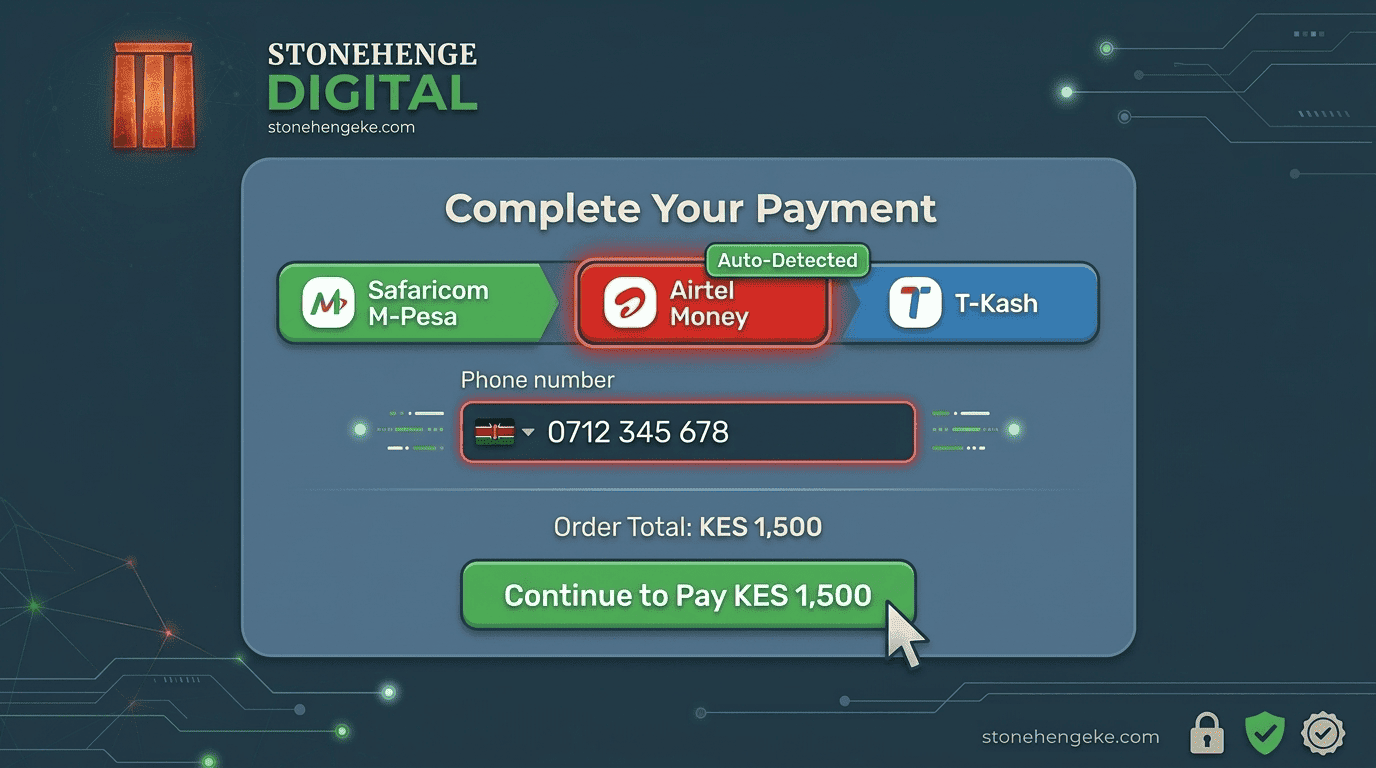
When a customer enters a phone number, your checkout can use its prefix as a preliminary clue about the likely mobile operator. However, prefixes alone are not a reliable way to establish the customer's current network in every case.
Example payment selector
Choose how you want to pay
Select an available mobile money service to continue.
M-Pesa
Pay using Safaricom M-Pesa
Airtel Money
Pay using Airtel Money
T-Kash
Display only when your business has an active supported integration
Illustrative design only. These payment choices are not interactive in this article.
If automatic detection fails, displaying the supported payment options as selectable tabs or cards is a simple fallback. Customers should not have to restart their checkout just because the system could not identify their network.
Step 03
Set Up an Airtel Money Merchant Account
Before integrating Airtel Money, establish the merchant relationship and confirm that your business can access the relevant collection services.
- Contact Airtel Money Business support in Kenya to enquire about merchant payment collection.
- Complete the merchant registration and business verification requirements.
- Request the API credentials and account configuration required for your integration.
- Obtain the relevant developer documentation, test environment details, callback requirements, and production onboarding instructions.
Keep your credentials secure
Store API secrets securely on your server. Never expose private credentials in browser-side JavaScript, public repositories, or customer-facing pages.
Step 04
Integrate the Airtel Money Collection API
The exact implementation depends on the API version and capabilities enabled for your merchant account. A typical collection integration follows this general sequence:
Authenticate your server
Use the authentication mechanism documented for your Airtel API product and obtain any required access token.
Create a payment request
Submit the required phone number, amount, currency, and unique transaction reference.
Prompt the customer
The customer follows the payment instructions supported by the provider and confirms the transaction on their device.
Receive the transaction outcome
Process the provider's callback or use the documented status-check mechanism to establish the payment outcome.
Update the order
Mark the order as paid only after verifying the successful transaction and matching it to the expected amount and order reference.
Important integration differences
- Authentication: Implement the authentication method specified for the actual API product and environment. Do not assume every provider uses an identical token flow.
- Callbacks: Map provider-specific response fields to your own internal transaction states.
- Delayed responses: Handle pending transactions and delayed notifications without creating duplicate payment requests.
- Customer instructions: Display clear guidance for the payment flow supported by the provider and the customer's account.
Step 05
Investigate T-Kash Integration
T-Kash should be treated as a separate provider integration rather than assumed to work exactly like Airtel Money or M-Pesa. Availability of merchant collection APIs, onboarding requirements, and technical support should be confirmed directly with Telkom.
Questions to ask Telkom
- Is merchant payment collection through an API currently available to our business?
- What registration and approval requirements apply?
- Are test credentials, API documentation, and a sandbox available?
- How are payment notifications, transaction status checks, and refunds handled?
- What settlement, reconciliation, and support arrangements are available?
Once access is confirmed, build an adapter for the supported T-Kash payment flow and connect it to the same internal transaction system used by the other providers.
Step 06
Unify All Payments in One Dashboard
Your website may communicate with three different providers, but your staff should not need three completely separate workflows to understand whether orders have been paid.
Create a shared transaction record that stores the common information for every provider.
Your reconciliation report can then consolidate payments from all connected networks into one view, while retaining provider-specific references for investigations and settlement checks.
The benefit: Your sales and finance teams get one consistent view of orders and payments without losing the details required to reconcile each provider's transactions.
Step 07
Test Every Payment Network
Before launching the new checkout, test each supported provider independently and then test the complete customer journey.
- M-Pesa: Complete an authorised test or small live transaction and confirm that the correct order is updated.
- Airtel Money: Verify the payment request, customer confirmation, callback, and order update.
- T-Kash: Test the integration only after access to a supported merchant collection service has been confirmed.
- Wrong network selection: Confirm that the customer receives a useful message and can select another supported method.
- Delayed or duplicate notifications: Verify that orders are not marked paid twice and payment records remain consistent.
- Reconciliation: Compare your dashboard records with provider transaction reports and settlement statements.
Use sandbox environments wherever available. For live tests, use authorised accounts and controlled amounts, and verify the actual transaction outcome before treating an order as paid.
Step 08
Promote Your Multiple Payment Options
Once the integrations are live and tested, make the available payment methods visible to customers before they reach the final payment step.
Suggested checkout message
Pay with your preferred mobile money service.
M-Pesa, Airtel Money, and other supported options, all in one convenient checkout.
Make sure the wording reflects the payment methods your business actually supports. Clear communication builds trust and helps customers choose the right option without unnecessary confusion.
The Business Impact
Make Checkout Work for More Customers
The original example for this article describes a Stonehenge Digital client that added Airtel Money and reported a 9% increase in completed orders within two months. It also states that revenue from Airtel customers covered the integration cost in the first month.
What this could mean for your business
More payment choice can remove checkout friction, support customer convenience, and create opportunities to complete sales that might otherwise be abandoned.
Results will vary by business. The reported figures should be treated as an example rather than a guaranteed outcome. Measure your own checkout completion rate, payment success rate, integration costs, and revenue to establish the actual impact.
Give Your Customers More Ways to Pay
A successful multi-network checkout is about more than adding extra payment buttons. It requires dependable provider integrations, clear customer instructions, accurate transaction tracking, secure callbacks, and reliable reconciliation.
Start with the payment services your customers use and your business can access. Build a consistent checkout around those integrations, test every payment flow, and use real transaction data to identify opportunities for improvement.
Don't let an unnecessarily limited checkout stand between your business and its next customer.
Ready to Sell Online?
Add More Payment Options to Your Online Store
Stonehenge Digital KE helps Kenyan businesses build e-commerce websites with convenient payment experiences. Let's discuss the right payment integrations for your customers, business operations, and growth plans.
Add Multi-Network Payments →Stonehenge Digital KE | Digital solutions for Kenyan businesses
Interested in E-Commerce Website with M-Pesa?
Let's build this for your business
Sell to any Kenyan with a phone. Full online shop with Safaricom STK Push payment — no card needed.